How to Protect Your Website from Hackers in 2026
Your website is one of the most valuable digital assets of your business. Whether you own a company website, an eCommerce store, or a personal portfolio, protecting it from cyber attacks should never be ignored. Protect your website from hackers by following simple but effective security practices before attackers find a way to exploit vulnerabilities.
Every day, cybercriminals scan thousands of websites looking for weak passwords, outdated software, and security loopholes. Once they gain access, they may steal customer data, inject malware, redirect visitors to malicious websites, or completely take control of your website.
The good news is that you don’t need to be a cyber security expert to improve your website security. With the right approach and regular maintenance, you can significantly reduce security risks and keep your website safe.
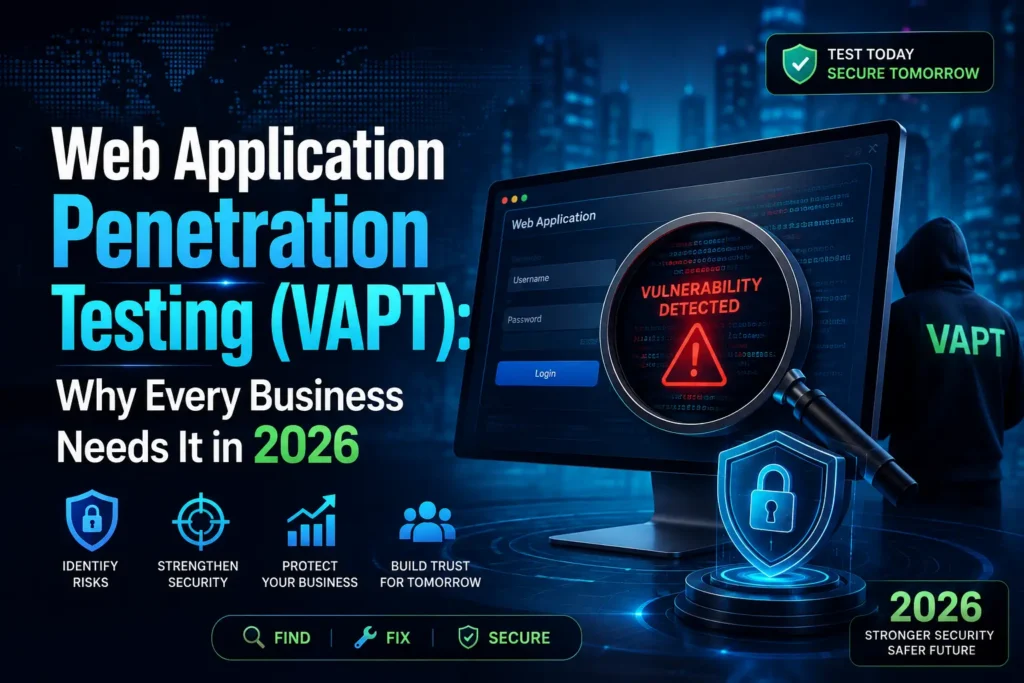
At Sniffer Group, we help businesses strengthen their online security through Website Security Audits, Web Application Penetration Testing (VAPT), Malware Removal, and professional Cyber Security Consulting. This guide explains the most important steps every website owner should follow in 2026.
Why Website Security Matters
Many business owners believe hackers only target large companies. However, this is not true. Small and medium-sized businesses are often targeted because they usually have fewer security measures in place.
A hacked website can lead to several serious problems:
- Loss of customer trust
- Theft of sensitive business data
- Website downtime
- Lower Google rankings
- Financial losses
- Damage to your brand reputation
Moreover, if Google detects malicious activity on your website, it may display security warnings in search results, which can reduce your organic traffic significantly.
Investing in website protection is not just about preventing attacks—it is also about protecting your customers, your business reputation, and your long-term growth.
Why Do Websites Get Hacked?
Hackers don’t always attack websites manually. Instead, they use automated tools that scan the internet for websites with known vulnerabilities.
Some of the most common reasons websites get hacked include:
| Security Issue | Risk Level |
|---|---|
| Weak Passwords | 🔴 High |
| Outdated Plugins | 🔴 High |
| Old CMS Version | 🔴 High |
| No Website Firewall | 🔴 High |
| Missing SSL Certificate | 🟠 Medium |
| Poor Hosting Security | 🟠 Medium |
| No Regular Backup | 🔴 High |
| Weak Admin Security | 🔴 High |
Therefore, keeping your website updated and properly secured is one of the easiest ways to reduce cyber risks.
Common Mistakes Website Owners Make
Many website owners unknowingly leave security gaps that attackers can exploit.
Some common mistakes include:
- Using easy-to-guess passwords
- Ignoring software updates
- Installing plugins from untrusted sources
- Giving admin access to too many users
- Not taking regular backups
- Using cheap hosting without security features
- Not monitoring website activity
Avoiding these mistakes can dramatically improve your overall website security.
💡 Expert Insight
Many people think installing an SSL certificate makes a website completely secure.
This is a common misconception.
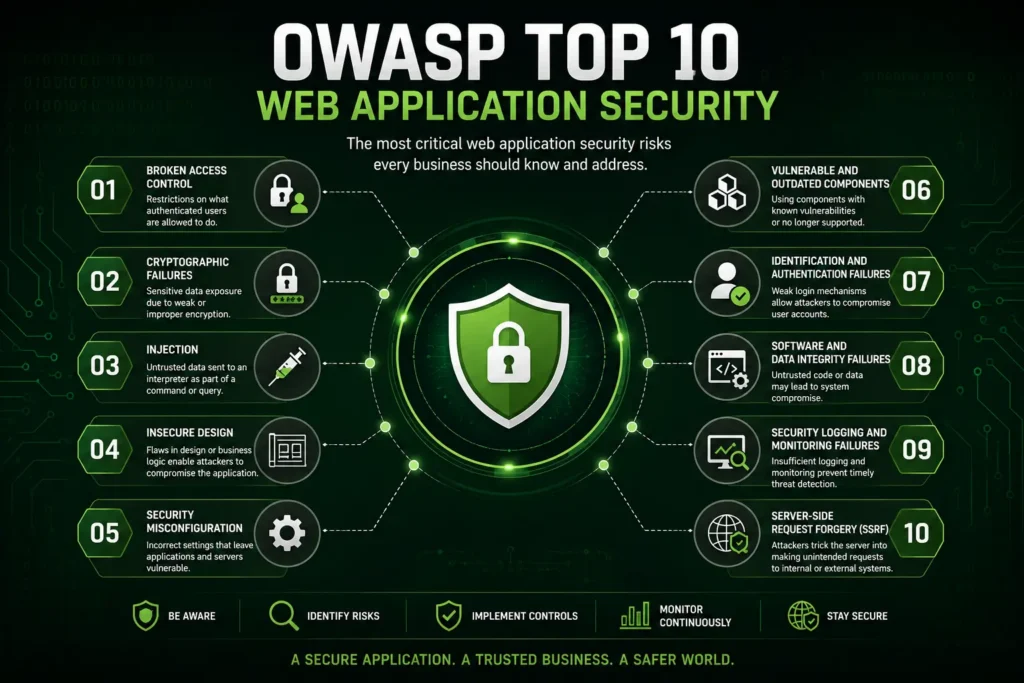
An SSL certificate encrypts data between the user and the website, but it does not protect against SQL Injection, Cross-Site Scripting (XSS), Brute Force Attacks, or Malware.
At Sniffer Group, we often find websites with a valid SSL certificate that are still vulnerable because updates, firewall protection, and security monitoring were neglected.
Common Website Security Threats
Understanding common cyber threats helps you take the right preventive measures before attackers exploit them.
1. Malware
Malware is malicious software designed to damage a website, steal sensitive information, or give attackers unauthorized access.
Common types of malware include:
- Viruses
- Trojans
- Spyware
- Ransomware
- Backdoors
A malware-infected website can become slow, display unwanted advertisements, redirect visitors to suspicious websites, or even get blacklisted by search engines.
If you suspect malware on your website, it is important to remove it immediately before it causes further damage. Sniffer Group provides professional Malware Removal Services to help businesses safely clean infected websites and strengthen their security.
2. SQL Injection (SQLi)
SQL Injection is one of the most dangerous web application attacks.
It happens when attackers insert malicious SQL queries into website forms or URLs to access your database.
If successful, they may steal:
- Customer information
- Login credentials
- Payment records
- Business data
Proper input validation and secure coding practices can greatly reduce the risk of SQL Injection attacks.
3. Cross-Site Scripting (XSS)
Cross-Site Scripting (XSS) allows attackers to inject malicious JavaScript into your website.
This attack may be used to:
- Steal user cookies
- Hijack user sessions
- Display fake login pages
- Redirect users to malicious websites
Regular security testing and code reviews help identify XSS vulnerabilities before attackers do.4
4. Keep Your Website Updated
One of the easiest ways to improve website security is to keep everything updated.
Always install the latest updates for:
- WordPress CMS
- Themes
- Plugins
- PHP Version
- Server Software
Software updates often include security patches that fix known vulnerabilities. Delaying updates gives attackers enough time to exploit publicly known security issues.
5. Use Strong Passwords
Weak passwords remain one of the biggest reasons websites get hacked.
A secure password should:
- Be at least 14–16 characters long
- Include uppercase and lowercase letters
- Include numbers
- Include special characters
- Be unique for every account
Avoid passwords such as:
- admin123
- password123
- company123
Using a password manager is also a smart way to create and store strong passwords securely.
6. Enable Multi-Factor Authentication (MFA)
Multi-Factor Authentication (MFA) adds an extra verification step during login.
Even if someone steals your password, they still cannot easily access your website without the second authentication factor.
Popular MFA methods include:
- Authentication Apps
- Security Keys
- SMS Verification
- Email Verification
Enabling MFA is one of the simplest ways to improve your website’s security.
7. Install a Web Application Firewall (WAF)
A Web Application Firewall (WAF) acts as the first line of defense between your website and attackers.
It filters malicious requests before they reach your website.
A good WAF helps protect against:
- SQL Injection
- Cross-Site Scripting (XSS)
- Brute Force Attacks
- Bot Traffic
- DDoS Attacks
If you are unsure which firewall solution is suitable for your website, the experts at Sniffer Group can help you select and configure a security solution based on your business requirements.
💡 Expert Insight
Installing a firewall does not mean your website is completely secure.
A firewall should always be combined with:
- Regular Updates
- Malware Scanning
- Security Monitoring
- Strong Password Policies
- Daily Backups
Security works best when multiple protection layers are used together.
8. Take Regular Website Backups
Imagine your website gets hacked today.
Without a backup, recovering your website may take days—or even weeks.
Regular backups help you:
- Restore your website quickly
- Reduce downtime
- Recover important files
- Minimize business losses
A good backup strategy follows the 3-2-1 Rule:
| Backup Rule | Description |
|---|---|
| 3 Copies | Keep three copies of your data. |
| 2 Storage Types | Store backups on two different media. |
| 1 Offsite Copy | Keep one backup in a different location or cloud. |
9. Monitor Your Website Regularly
Many businesses only discover a security issue after customers report it.
Instead of waiting for problems, monitor your website regularly.
Things you should monitor include:
- Login Attempts
- File Changes
- Malware Detection
- Server Logs
- Website Performance
- SSL Status
Continuous monitoring helps detect suspicious activity before it becomes a serious security incident.
At Sniffer Group, we recommend performing regular Website Security Audits to identify hidden vulnerabilities before attackers exploit them.
10. Perform Regular Vulnerability Assessments
Even a well-maintained website may contain hidden security weaknesses.
A Vulnerability Assessment helps identify these issues before cybercriminals find them.
Some common vulnerabilities include:
- Weak Authentication
- Outdated Plugins
- Missing Security Headers
- Misconfigured Servers
- File Permission Issues
- Insecure APIs
Businesses that regularly perform security assessments are generally better prepared to defend against cyber attacks.
If your website stores customer information or processes online payments, professional testing is highly recommended.
Sniffer Group offers Web Application Penetration Testing (VAPT) and Website Security Audits to help organizations identify and fix security issues before they become major risks.
Quick Website Security Checklist
Before publishing or managing your website, make sure you have completed the following checklist.
✅ Website Security Checklist
- SSL Certificate Installed
- WordPress Updated
- Plugins Updated
- Themes Updated
- Strong Passwords
- Multi-Factor Authentication Enabled
- Web Application Firewall Installed
- Daily Backups Configured
- Malware Scanning Enabled
- Regular Vulnerability Assessment Performed
- Admin Access Reviewed
- Security Logs Monitored
Completing this checklist regularly can significantly improve your website protection and reduce common security risks.
Common Website Security Mistakes
Many successful cyber attacks happen because of simple mistakes that could have been prevented.
Some of the most common mistakes include:
- Ignoring software updates
- Using weak passwords
- Installing plugins from unknown sources
- Not taking backups
- Giving admin access to unnecessary users
- Using shared passwords
- Not monitoring website activity
- Delaying security audits
Avoiding these mistakes is one of the easiest ways to strengthen your overall website security.
🌐 Suggested Official References
10 Best Ways to Protect Your Website from Hackers in 2026
Follow these steps as soon as possible:
- Take your website offline if sensitive customer data may be at risk.
- Change all administrator passwords immediately.
- Reset your hosting, database, FTP, and email passwords.
- Scan your website for malware.
- Restore a clean backup if available.
- Update your CMS, plugins, and themes.
- Review website logs for suspicious activities.
- Remove unknown administrator accounts.
- Inform affected users if sensitive information has been exposed.
- Perform a complete security audit before making the website live again.
Taking immediate action can prevent attackers from causing further damage.
💡 Expert Insight
Many businesses remove visible malware and assume the problem is solved. In reality, attackers often leave hidden backdoors that allow them to regain access later.
At Sniffer Group, our security experts don’t just remove malicious files—we also identify the root cause, close security gaps, and recommend long-term protection strategies to reduce the risk of future attacks.
Essential Security Tools Every Website Owner Should Use
The right security tools make website protection easier. While no single tool can stop every attack, using multiple security solutions together creates stronger protection.
Below are some essential security tools every website owner should consider.
| Security Tool | Purpose |
|---|---|
| SSL Certificate | Encrypts website communication |
| Web Application Firewall (WAF) | Blocks malicious traffic |
| Malware Scanner | Detects malicious files |
| Backup Solution | Restores website after attacks |
| Multi-Factor Authentication (MFA) | Protects user accounts |
| Security Monitoring | Detects suspicious activities |
| Password Manager | Creates and stores strong passwords |
Using these tools together provides multiple layers of protection against common cyber threats.
Website Security Best Practices for Businesses
Protecting a business website is an ongoing process, not a one-time task.
Following these best practices will help improve your overall website security.
Best Practices Checklist
- Review user accounts regularly.
- Remove unused plugins and themes.
- Install software updates promptly.
- Restrict administrator access.
- Enable login attempt limits.
- Use secure hosting.
- Monitor website logs.
- Perform regular backups.
- Test backups before an emergency.
- Conduct periodic security assessments.
Moreover, businesses handling customer information should schedule regular Web Application Penetration Testing (VAPT) to identify hidden vulnerabilities before attackers do.
If your organization is unsure about its current security posture, Sniffer Group can help with professional security assessments, vulnerability testing, and practical recommendations tailored to your business.
Frequently Asked Questions (FAQs)
How often should I update my website?
You should install security updates as soon as they become available. Delaying updates increases the risk of attackers exploiting known vulnerabilities.
Is an SSL certificate enough to protect my website?
No. An SSL certificate encrypts communication but does not protect against malware, SQL Injection, Cross-Site Scripting (XSS), or other cyber attacks. A complete website security strategy includes firewalls, backups, monitoring, and regular security testing.
How do I know if my website has been hacked?
Some common warning signs include:
- Unexpected redirects
- Unknown administrator accounts
- Slow website performance
- Suspicious pop-ups
- Spam pages indexed in Google
- Malware alerts from your hosting provider
What is the best way to protect a WordPress website?
The best approach includes:
- Keeping WordPress updated
- Updating plugins and themes
- Using strong passwords
- Enabling MFA
- Installing a Web Application Firewall
- Performing regular backups
- Conducting security audits
Should small businesses invest in website security?
Absolutely. Small businesses are frequent targets because attackers often expect weaker security. Investing in preventive measures is usually far less expensive than recovering from a successful cyber attack.
Conclusion
Cyber threats continue to evolve, making website security an essential part of running any online business. Fortunately, many attacks can be prevented by following simple best practices such as keeping your website updated, using strong passwords, enabling Multi-Factor Authentication, installing a Web Application Firewall, taking regular backups, and monitoring your website for suspicious activity.
Remember, protecting your website is not a one-time task—it requires continuous attention and regular security reviews.
If your website stores customer information, accepts online payments, or plays an important role in your business, regular security assessments and Web Application Penetration Testing (VAPT) can help identify vulnerabilities before attackers exploit them.
Need Professional Website Security Assistance?
If you’re looking to strengthen your website’s security, Sniffer Group is here to help.
Our experienced cybersecurity professionals provide:
- Website Security Audits
- Web Application Penetration Testing (VAPT)
- Vulnerability Assessment
- Malware Removal
- WordPress Security
- Cyber Security Consulting
Whether you want to prevent cyber attacks or recover from a security incident, our team can help you build a more secure and reliable website.
Contact Sniffer Group today to discuss your website security requirements and take the first step toward protecting your business online.